Jièzǐ brand mark

Jièzǐ

Novel Writing Workbench

A mustard seed holds a Mount Sumeru — within a tiny space, an entire world.
A desktop novel writing app that keeps your world at your fingertips without ever stealing your pen.

Free Download Explore Features

macOS · Windows · Android | v1.4.21 | Local-first · Offline-ready · No account
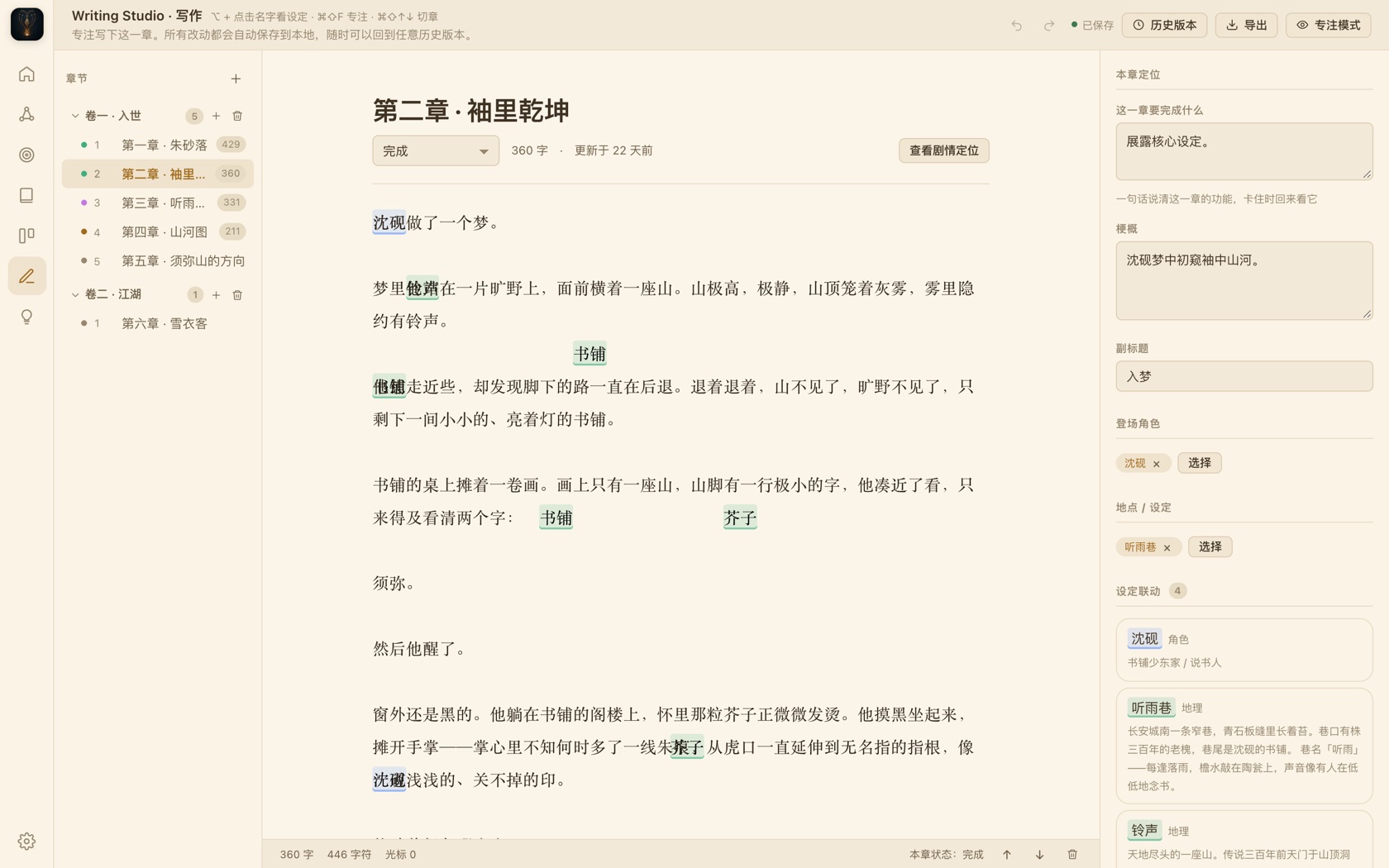
Jièzǐ · Writing Studio
Jièzǐ writing studio: chapter outline on the left, immersive text editor in the center, chapter goals & lore links on the right
Writing Studio Immersive editor — hover any character or place name to pull up its lore file without leaving the page.
100%
Local storage · your data, your device
0
Accounts · cloud · online dependency
5
Export formats · TXT / MD / DOCX / EPUB / PDF
3
Platforms · macOS / Windows / Android
01
Story Bible

Build the world before you write it

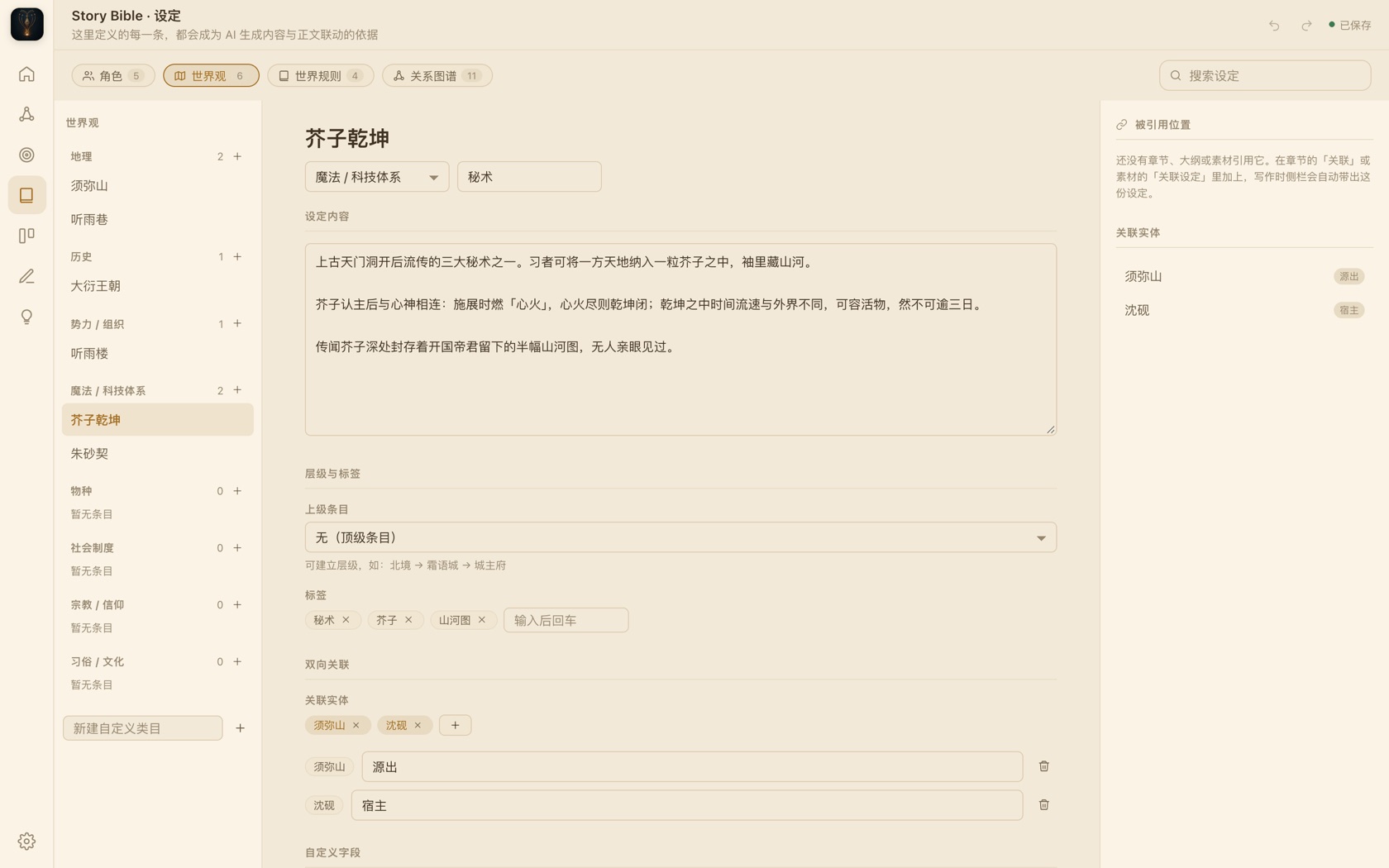
The worst thing about long novels is forgetting what you set up thirty chapters ago. Jièzǐ breaks your world into maintainable files: characters, locations, factions, rules, customs — independent yet interconnected.
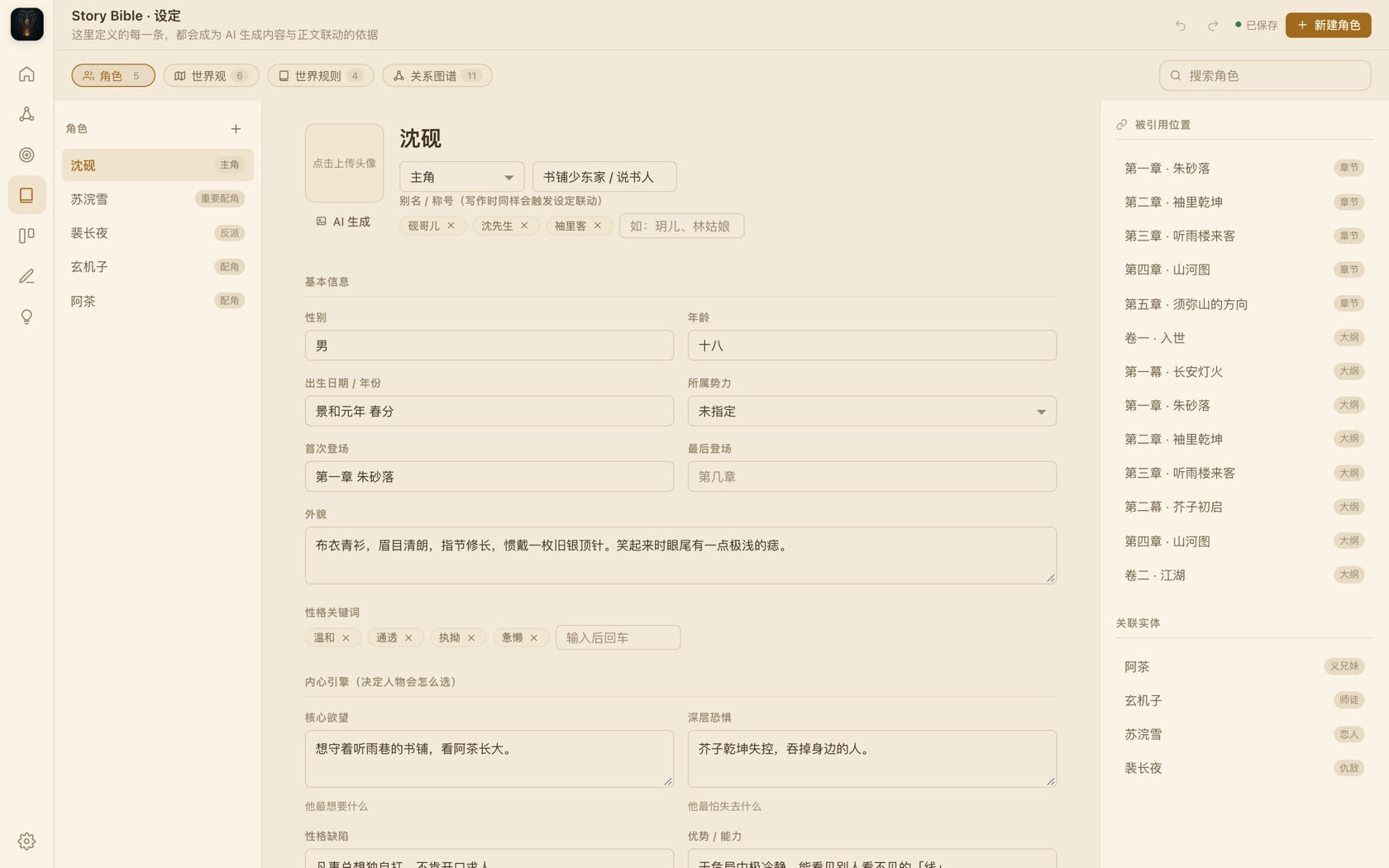
  • Character files: full fields + custom fields; desires, fears, flaws, and arcs at a glance; relationships, appearances, and status tracked
  • Worldbuilding entries: custom categories, hierarchical structure, bidirectional links and tags
  • World rules: priority-ranked, checked during writing for consistency — no more plot holes
  • Reverse index: change one setting and instantly see every chapter and outline that references it
Jièzǐ · Story Bible · Character
Character file interface: desires, fears, flaws, and every reference across the book
Reverse index The right panel lists every chapter and outline where this character appears — change one thing, see the ripple effect instantly.
02
Story Board

Lay the skeleton before the flesh

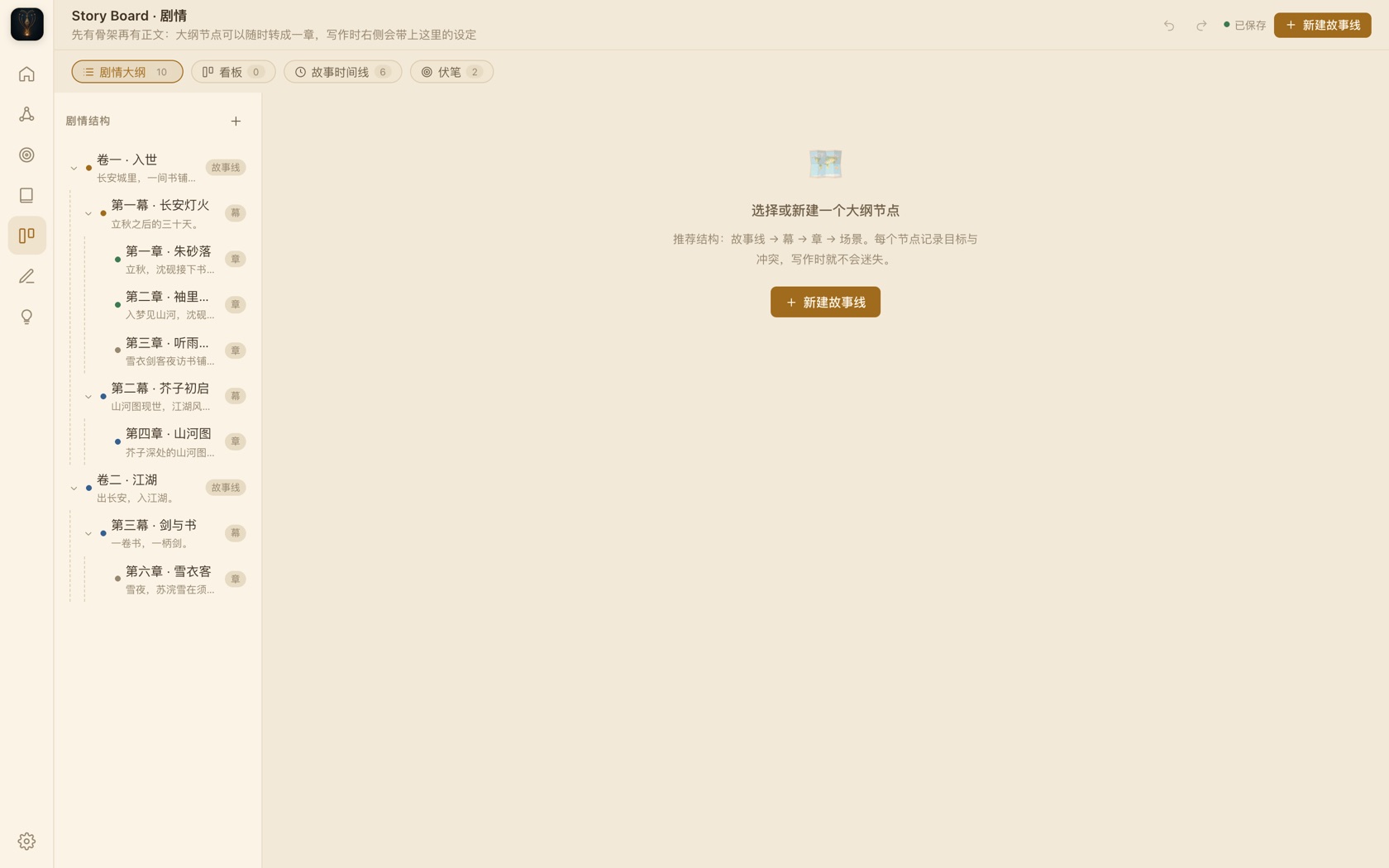
Outlines shouldn't be dead tables in a document. Volumes, acts, chapters, and scenes drag-and-drop freely; when multiple storylines run in parallel, swimlane timelines keep track of who's advancing what and where the foreshadowing hides.
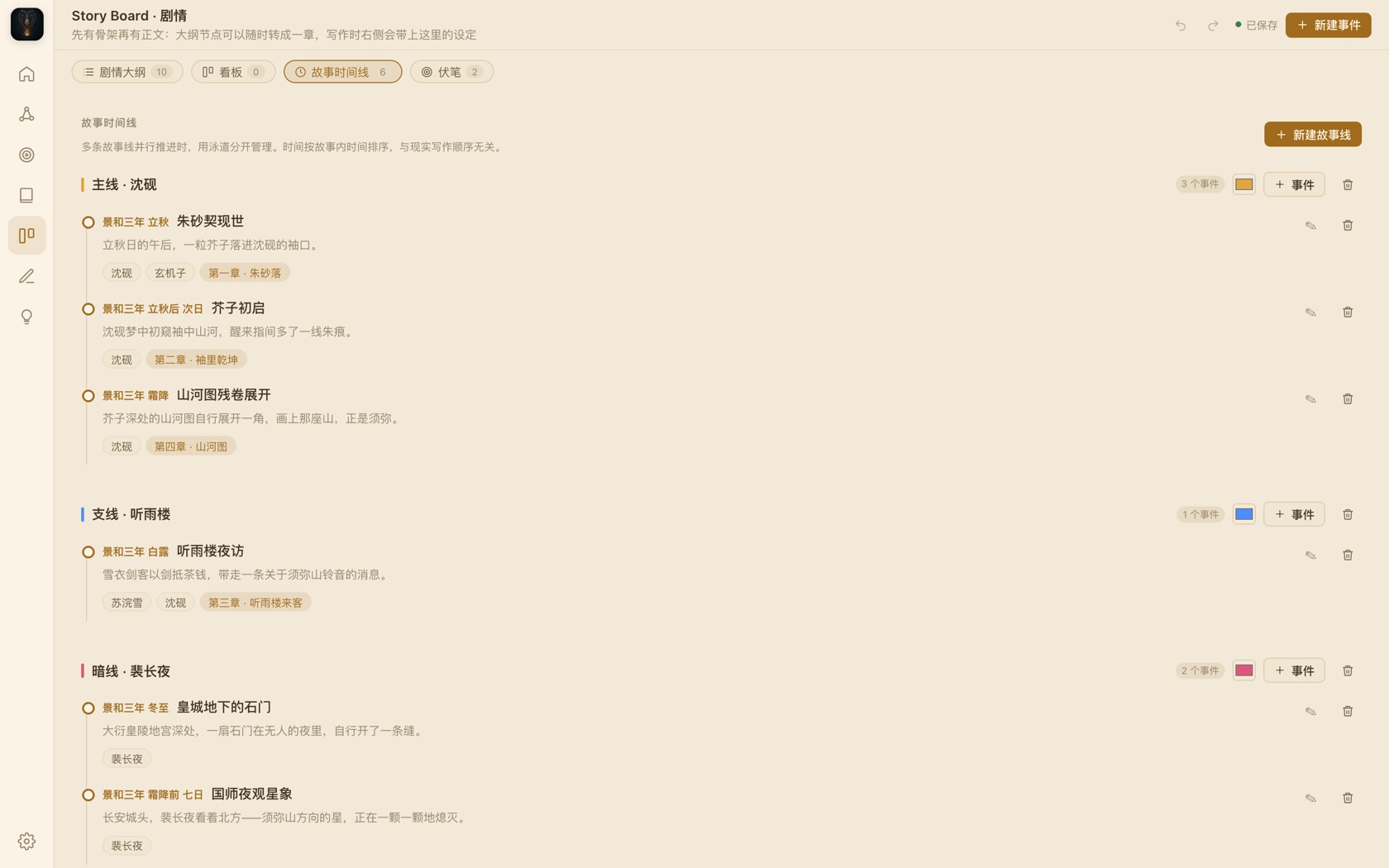
  • Multi-level outline tree: Volume / Act / Chapter / Scene, drag to reorder, convert to chapters anytime
  • Kanban view: flow by status — "Ideas → Writing → Done"
  • Story timeline: multi-swimlane parallel narrative, sorted by in-story time, independent of writing order
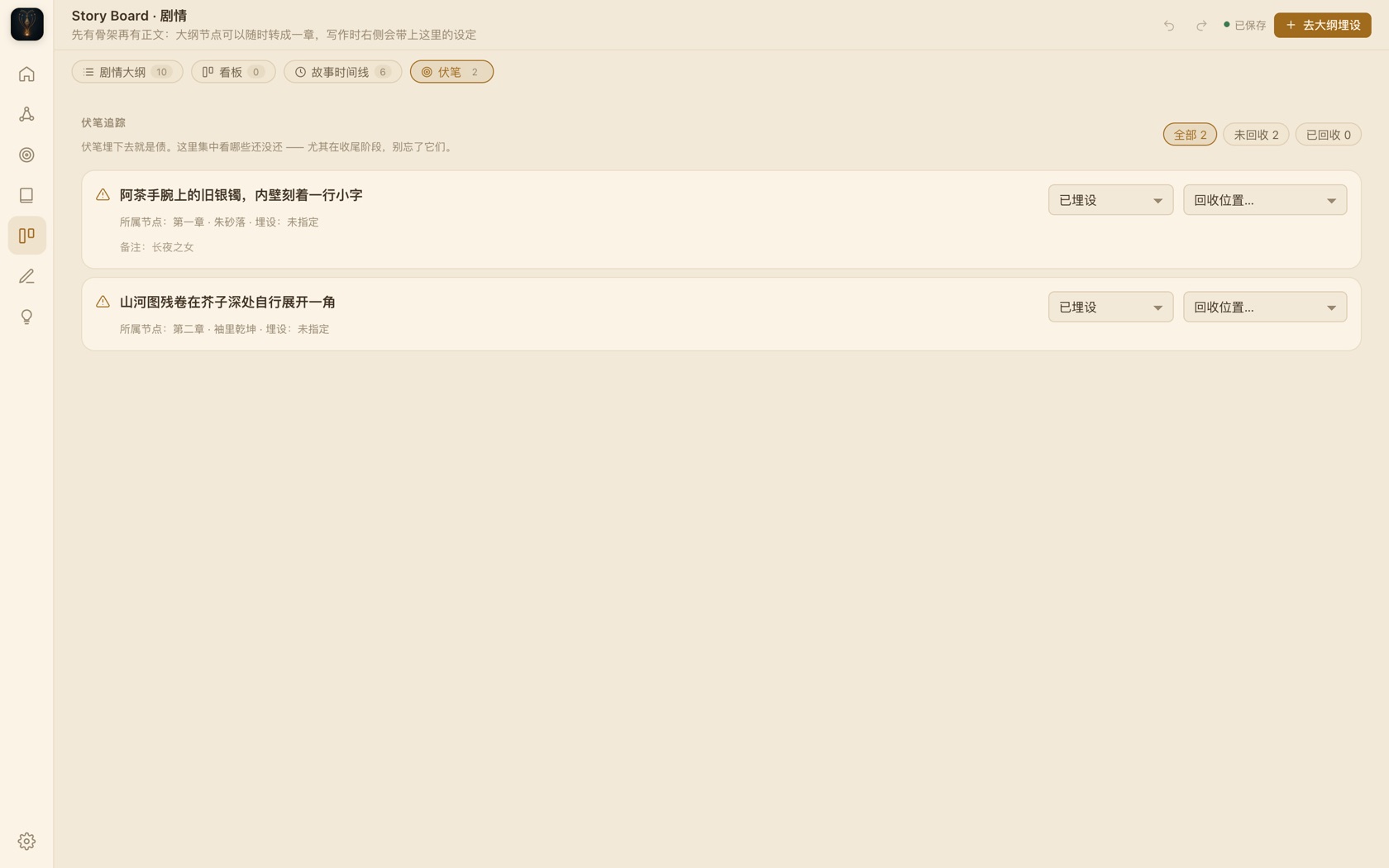
  • Foreshadowing tracker: plant → payoff tracked end to end — the system remembers what you still owe
Jièzǐ · Story Board · Timeline
Story timeline interface: main, side, and hidden plotlines running in three swimlanes
Multi-swimlane timeline Main, side, and hidden plotlines each get a lane — parallel storytelling never tangles again.
03
Writing Studio

Focus on the chapter at hand

The editor is built for long writing sessions: serif body text, adjustable line height and column width, night and eye-care parchment themes. Your lore never interrupts you — it floats up exactly when you need it.

  • Immersive editor: focus mode, typewriter mode, night mode, progressive dimming of inactive paragraphs
  • Lore linking: any character, place, or entry in your text — hover to view its file, no tab switching
  • Auto-save: every change writes to disk instantly, roll back to any historical version
  • Live word count: cursor position, word count, character count pinned to the bottom
Jièzǐ · Writing Studio · Focus Mode
Focus mode interface: current paragraph sharp, surrounding text dimmed
Focus mode Everything but the paragraph you're writing fades away — the world narrows to a single page, a single line.
04
Writing Cockpit

See the whole book at a glance

Writing is a marathon — you need a dashboard, and milestones. The cockpit lays out "where I am, how far I've come, what's still owed" on one screen, so you write by data, not by feeling.
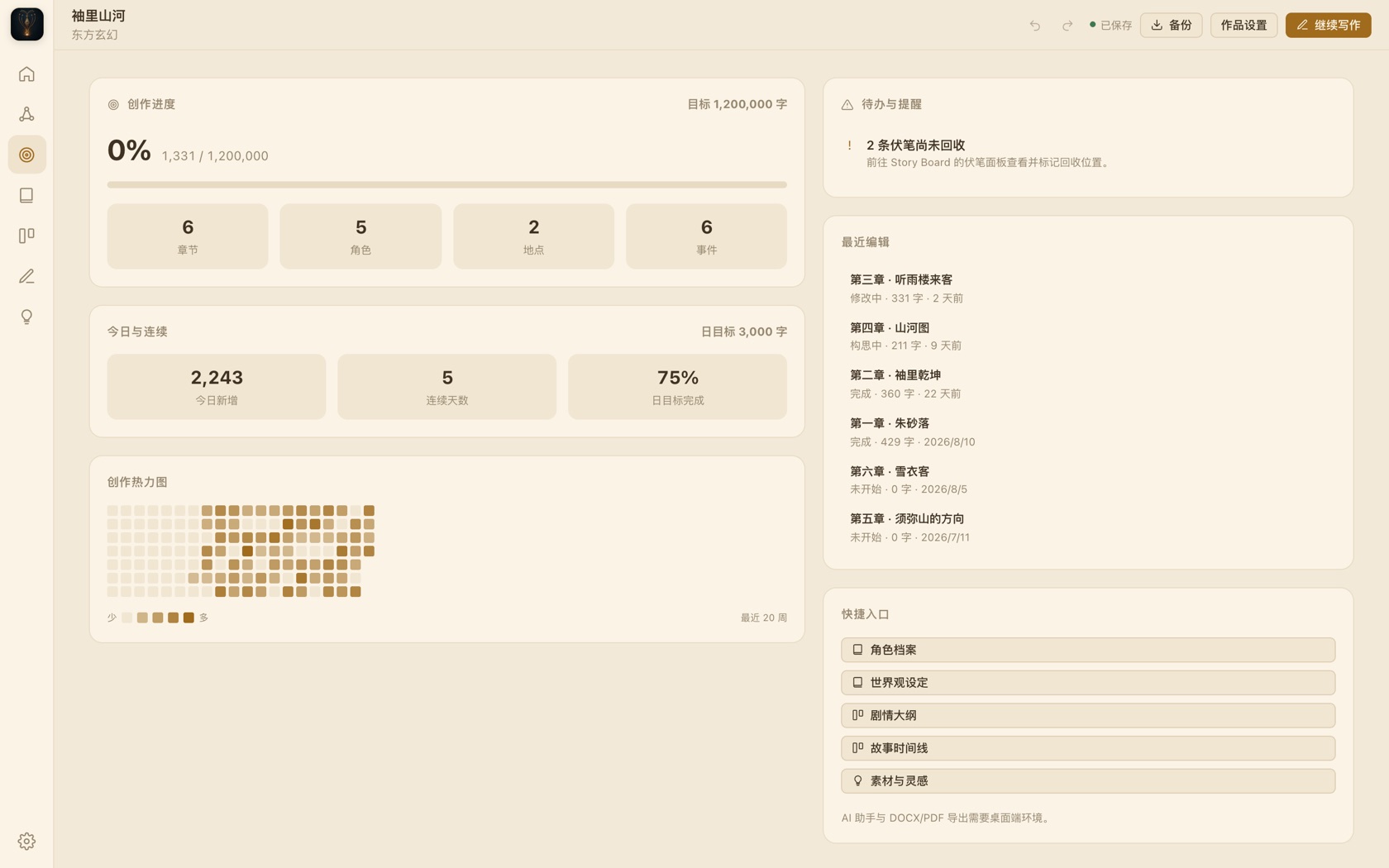
  • Writing progress: total word count, goal progress, chapter / character / location / event stats
  • Today & streak: daily goal completion rate, consecutive writing days
  • Writing heatmap: 20 weeks of activity at a glance, see your own rhythm
  • Todos & reminders: unresolved foreshadowing, unwritten chapters — the system keeps track
Jièzǐ · Writing Cockpit
Writing cockpit interface: progress bars, today's new words, writing heatmap, todos, recent edits
Writing Cockpit Progress, heatmap, todos, and recent edits on one screen — the global state of your book, understood in a glance.
05
AI Assistant · Ajie

Let AI in — but you hold the door

Jièzǐ ships with an optional AI writing assistant: continuation, rewriting, brainstorming, and plot advisory. Context is selectable by "chapter / character / worldbuilding / entire book" — AI only sees what you choose to show it.

Without an API key, every offline feature works as normal. DeepSeek is preconfigured; any OpenAI-compatible endpoint (Qwen, Kimi, Ollama, etc.) works with a single Base URL change.

ContinueRewriteBrainstormAdvisory Selectable context layersOpenAI-compatible

Never breaks your flow

The AI sidebar stays quiet until you call it — it never steals your cursor or your text area.

Context you control

Decide which layer of lore AI gets to see — chapters, characters, worldbuilding, the whole book. Toggle by layer.

Works with major models

DeepSeek by default; OpenAI, Qwen, Kimi, Volcengine, local Ollama… swap by changing the Base URL.

06

More of the everyday

From worldbuilding entries to the foreshadowing ledger, every detail exists to make "writing" more focused.
07

The interface is rice paper; whitespace is content

Jièzǐ's design philosophy is one sentence: lore is always within reach, but never steals the focus. Zero context switching, zero interruption, progressive disclosure. Four images anchor this temperament — circle, mountain, desk, seal.
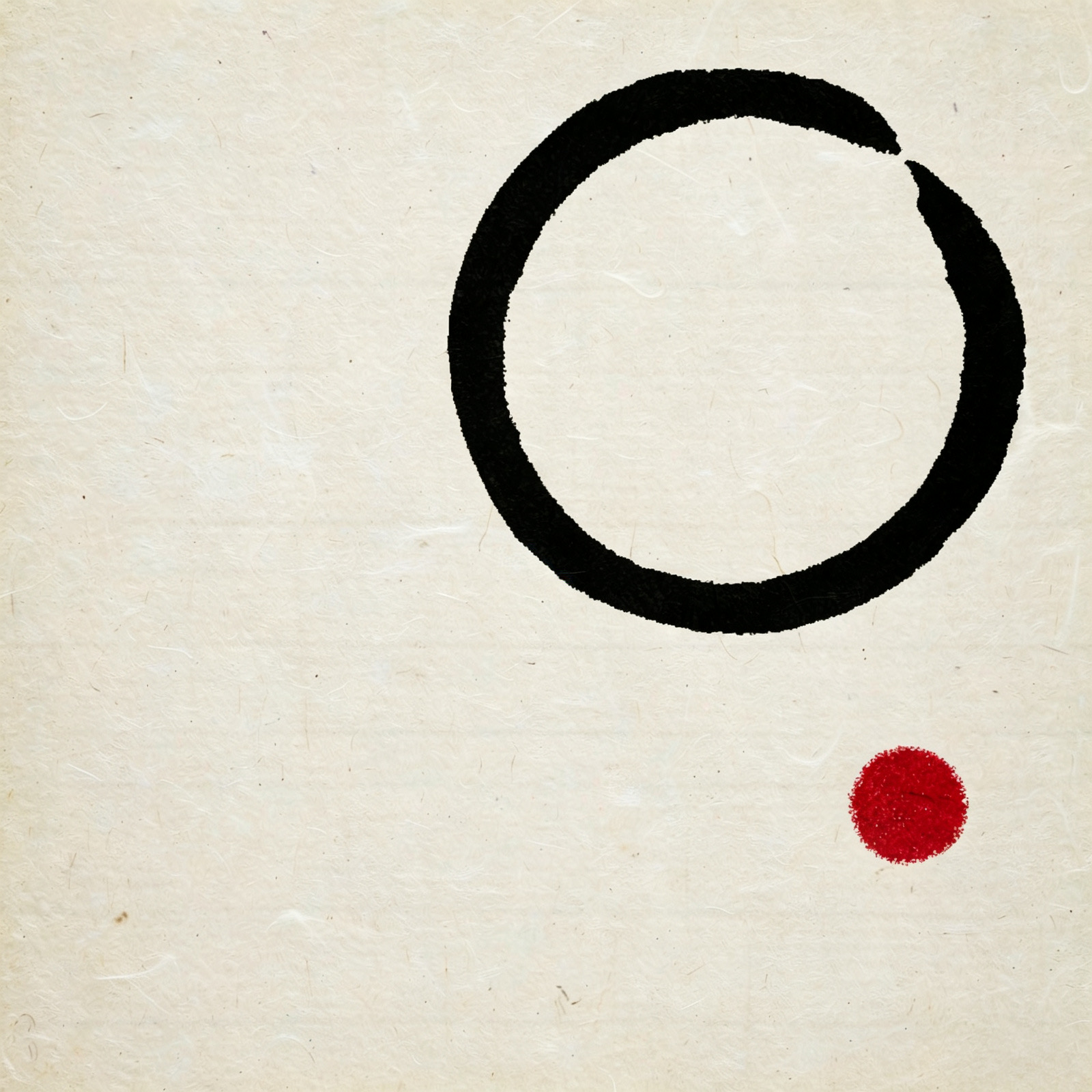

Ink ensō circle, drawn in one stroke with a deliberate gap
Circle · ensōOne stroke, one breath. The core motif of the brand mark.
Ink distant mountains, vast whitespace
Mountain · whitespaceA distant ridge, vast emptiness. Breathing room and depth.
Eastern writing desk, warm light and brush
Desk · still writingA plain desk, half a bed of warm light. Where the writer returns.
Close-up of a cinnabar seal stamp
Seal · cinnabarOne stamp on paper, and all is settled. The source of the only accent color.

"Jièzǐ = a mustard seed; Sumeru = a sacred mountain.
The Buddhist saying goes 'Sumeru holds a mustard seed, a mustard seed holds Sumeru' — the immense within the tiny:
one character, one setting, is an entire world."

Jièzǐ · Brand Essence

08

Download Jièzǐ

Current version v1.4.21 · Free · No in-app purchases · No data collection

macOS
Apple Silicon (M-series) · dmg
~116 MB
If macOS warns "unidentified developer": right-click the app in Finder → Open to bypass (caused by unnotarized self-build, unrelated to the software).
Download dmg zip portable (110 MB)
Windows
Windows 10 / 11 · x64 · Installer
~99 MB
NSIS installer, choose install directory and desktop shortcut. Chinese & English interface.
Download installer
Android
Android · v3.0 dual-core
~4.8 MB
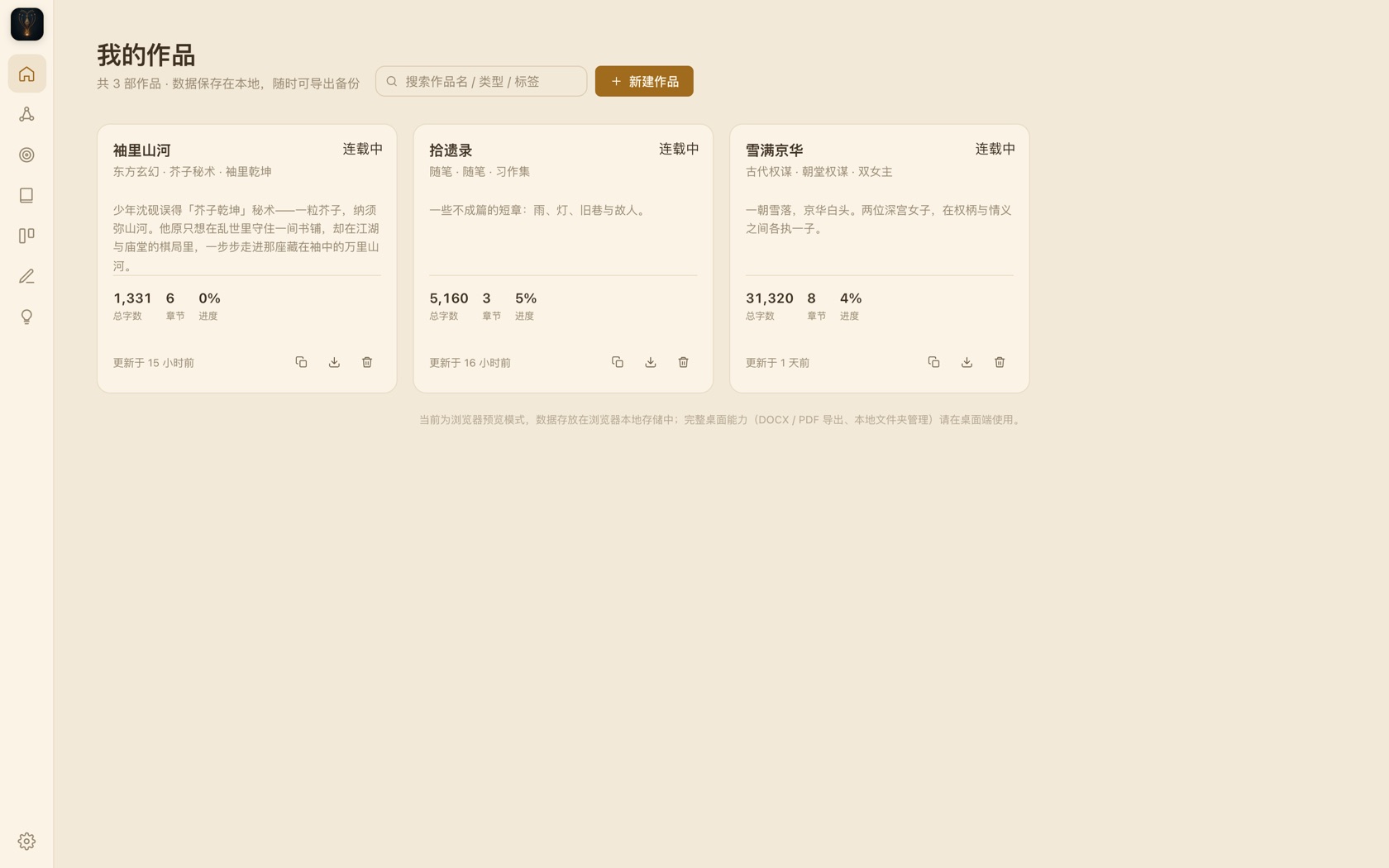
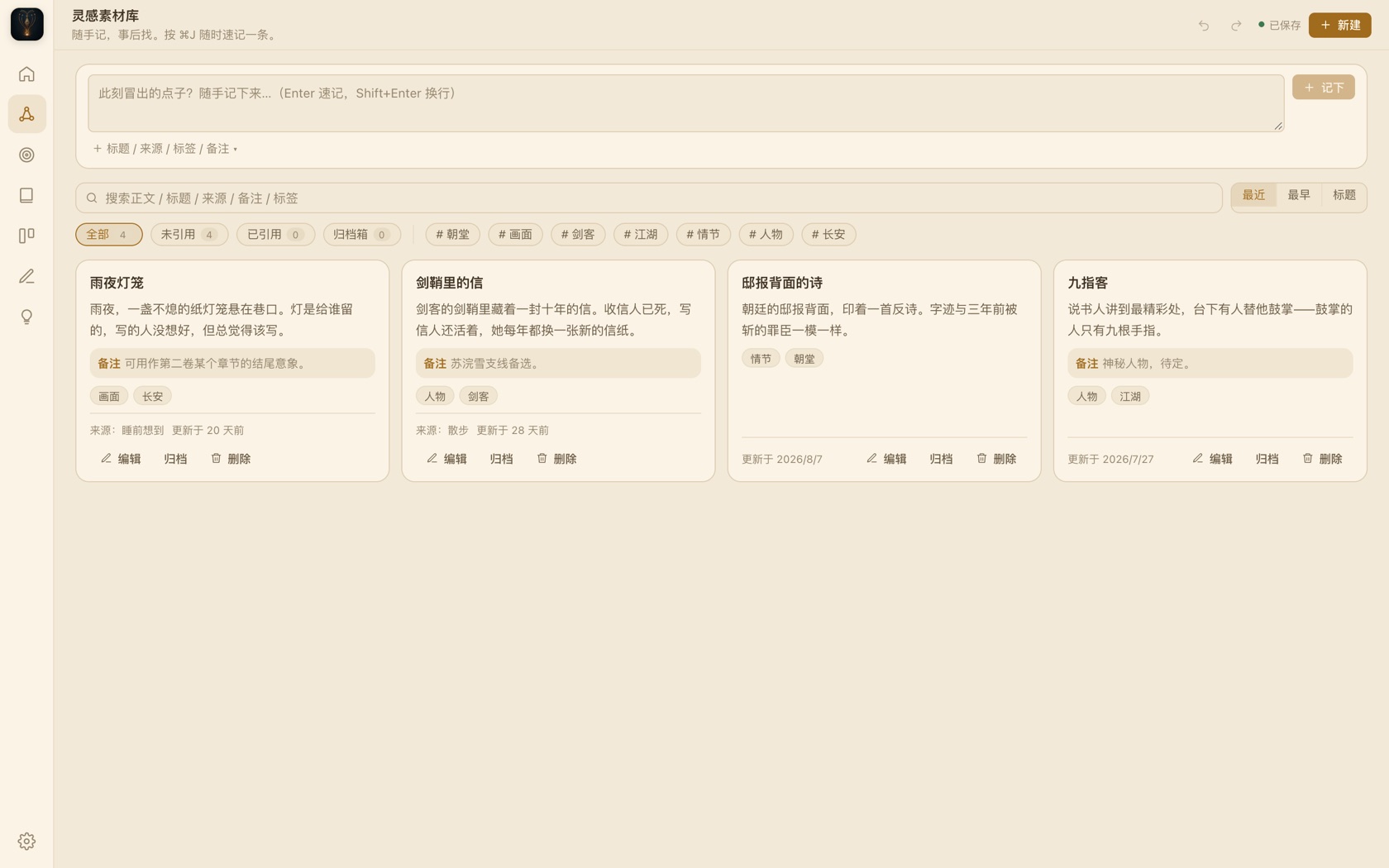
Mobile focuses on "Inspiration Library + Writing" dual core: capture ideas anytime, read-only lore lookup while writing. Full desktop features (outline, cockpit, export) require the desktop app. iOS in development.
Download APK
Data sovereignty
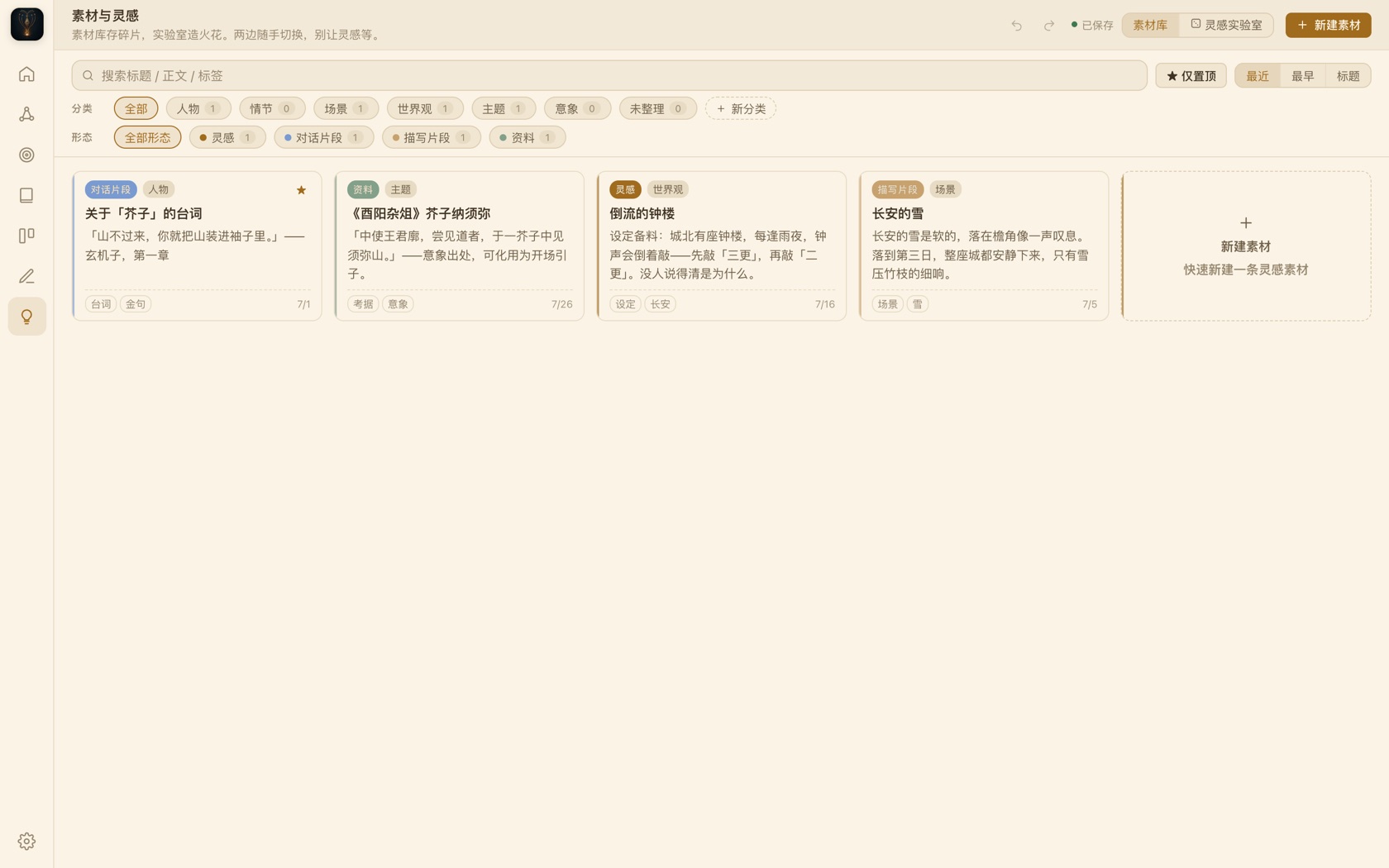
Your work lives on your hard drive in open formats (JSON + Markdown) — no database, no cloud, no account. Switching devices? Copy the folder and go.
Backup & versions
Auto-save + chapter version snapshots + project backups. Roll back to any point in history. Your writing is never lost.
Self-hosted sync
Drop the data folder into iCloud / Dropbox / a sync folder (or WebDAV) to build your own multi-device sync — on your terms.

System requirements: macOS 12+ (Apple Silicon) · Windows 10+ 64-bit · Android 8+. Install & troubleshooting: see the project README.

09

Frequently asked

A few things about data, connectivity, and AI — stated clearly up front.

Where is my work stored?
By default in ~/Documents/Jièzǐ: settings, outlines, and timelines as JSON, chapter text as Markdown — all open formats. Change the directory in Settings, e.g. to an iCloud or sync folder.
Do I need internet or an account?
No. All core features work fully offline: Story Bible, outline, writing, export, and cockpit. There is no account system, no cloud dependency, and no data collection.
Is the AI assistant required?
No. Without an API key, every offline feature works normally. To use AI, enter a Base URL and key in Settings — DeepSeek is preconfigured, and any OpenAI-compatible endpoint (Qwen, Kimi, Volcengine, local Ollama) works.
Which platforms are supported?
macOS (Apple Silicon), Windows (x64), and an Android beta; iOS is in development. Full desktop features like DOCX / EPUB / PDF export require the desktop app.
What export formats are supported?
TXT, Markdown, DOCX, EPUB, and PDF — plus a full-book JSON backup. Export once, take it anywhere. No platform lock-in.
Can I lose my writing?
No. Auto-save writes to disk every 2 seconds; each chapter keeps version snapshots for rollback; projects also have an automatic backups/ directory.